Teaching Interdependence

... was the title of the Keynote address I gave to 500+ educators at this year's B.Y.T.E. conference. The sense I had of the audience was that many of the ideas I talked about here were new to them. A quick survey of the room while giving the talk revealed only about three people had heard of Wolfram Alpha and I think about the same number had heard of the TPACK Framework.


I hope I get a chance to do this talk again. There are a number of things I think I could have done better.


Anyway, if you're interested, here it is in various formats. You pick how you'd like to take it in.


Audio


Download (20 MB)


Slidecast


Ustream Video (thanks to Chris Harbeck


Sharpening The Saw

I've been using a SMARTboard in my class for a little more than two years now. I know I've seen dramatic growth in the way I teach and present information to my students in no small part because of it.


I'd like to publish a series of posts transparently sharing how I use the SMARTboard to teach math and encourage anyone who reads/hears it to leave me suggetsions on how I might better use the affordances offered by the SB. Please share your critiques, comments, concerns, questions, complaints, confusions, uncertainties, anxieties, and suggestions for improvement with me by leaving a comment on this post or directly in the VoiceThread I've created to share my process.


I'd encourage other teachers to do the same; we could learn a lot from each other this way.


LINKS FOR THIS LESSON


Teaching Slides


Student Authoured Scribe Post


Thanks!

Things They Should Have Taught Me

Today I swung a meter stick around the classroom like a samurai sword. I called it: "My great and mighty swuhord!" It's become my standard opening for the unit on conic sections which we'll be studying in grade 12 pre-cal for the next week or so. This is followed by playing with paper; folding it to create a parabola according to the locus definition — but I don't tell them that's what we're doing right away. Here are the slides from the class:


As I swung the swuor ... meter stick, I spoke Japanese with a feigned accent: "Kawasaki, Susuki, Honda! Sony Mitsubishi!" (Yeah yeah, they're not all Japanese. I know.) My lips kept moving soundlessly after I finished speaking. We we're rolling on the floor laughing. We had to stop for a laugh break. Talking straight faced about mathematics, my lips continued moving for a few seconds after I spoke throughout the rest of the class.


Here's the thing though, when I started talking about the connections between the geometry and the algebra behind parabolas I had their complete attention. They followed every step of the way. Even those that don't usually pick things up quickly the first time picked it up fairly quickly when it was reexplained.


I've always tried to use some humour in my classroom, but reading an article about two years ago really inspired me to try to inject even more humour in my teaching. It's called USING HUMOR IN THE COLLEGE CLASSROOM TO ENHANCE TEACHING EFFECTIVENESS IN "DREAD COURSES". This is part of a larger course for college instructors on how to be better teachers.


Why don't they teach this stuff to pre-service K12 teachers? Why didn't anyone teach me this stuff before I walked into the classroom? There's certainly plenty of research out there supporting the use of humour to enhance teaching and learning. For example, this article from the Journal of Statistics Education Using Humor in the Introductory Statistics Course was written almost six years ago. From the article:


  • • Humor Builds Relationships and Enhances Communication


    When students talk in class (I'm going to use this one!): “What! I hear voices again. My psychiatrist told me that if I keep taking my Prozac the voices will go away.”


  • • Humor is a Stress-Reducing Tool (preparing for tests)


    If you make certain very egregious errors (for example, a negative probability), not only will you not get partial credit, but we will somehow manage to take points off of exams you are taking in other subjects. We might even take away points from courses taken in high school. In fact, one day, when your children and grandchildren are taking my class, we will take away points from their exams too! Alternatively, “Give me a probability greater than one and I will take away your car.”


  • • Humor Makes a Course More Interesting


    "Education is the only paid-for commodity regarding which, the less you provide, the happier the customer."


  • • Humor Enhances Recall of Information


    Years - some would say days - from now, students will have forgotten much of what we teach them. But they remember the humorous methods used to illustrate important points.


This is probably my favourite joke in the article:


A statistics major was completely hung over the day of his final exam. It was a true/false test, so he decided to flip a coin for the answers. The statistics professor watched the student the entire two hours as he was flipping the coin ... writing the answer ... flipping the coin ... writing the answer. At the end of the two hours, everyone else had finished the exam and left the room except for that lone student. The professor walked over and said, "Listen, I see that you did not study for this statistics test, you didn't even look at the exam questions. If you are just flipping a coin for your answers, what in the world is taking you so long?" Still flipping the coin, the student replied "Shhh! I am checking my answers!"


Humour relaxes us and helps us think better. Shouldn't something like that be a part of every curriculum and instruction class?


And speaking of Things They Should Have Taught In The Faculty Of Education, what about presentation skills? Stuff like how to use your voice, organize text and images to convey ideas, how to "work a room". Shouldn't this also be taught in Faculties of Education? Teachers are "on stage" every day, several times a day, presenting content and "working the room" to help kids learn. This seems like such a "no brainer". Does any Faculty of Education anywhere specifically teach presentation skills in the way the teacher in this video or this one (from teachers.tv in the UK) gets that help when he tried to go "From Good to Outstanding?"


In the last several years I've given a number of presentations to many different audiences. The skills I've developed have spilled over into the classroom. Compare how I taught this class last year:


to how I taught it this year:


The image in that last slideshow introduces what I think is another powerful teaching practice: metaphorical thinking. A binomial distribution is displayed graphically as a sort of bar graph called a histogram (the dogs are lined up in a way that is reminiscent of a histogram). Also, an experiment is binomial if and only if it has exactly two outcomes, typically described as "success" and "failure". Do you see this characteristic displayed in the image? My students did. But that's a post for another time.

SMART tweets

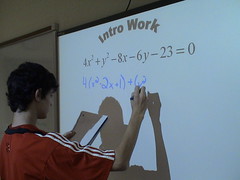
We've just completed a unit of study in my grade 12 Pre-Cal 40S class. I call the kind of lesson we had today a "workshop." I prepare a series of problems as slides for the SMARTboard. The class is divided into groups of 3 or 4 students each. (Actually, this class is very big. All groups had 4 students and a couple had 5; not ideal working conditions but we do the best we can with what we've got.) They collaborate in their groups to solve each problem. Whenever they feel ready, anyone in the class spontaneously walks up to the SMARTboard and shares their solution. Other groups continue to solve the problem and analyze the work on the board for errors and "good form".


I'm really proud of how they work together and engage with the content and each other. It wasn't like this from day one but we've been working together for more than three months now. I was admiring their work today and wanted to share it. (In the back of my mind I was also thinking about how I would answer a question Ben Hazzard had thrown my way from this week's SMARTboard Lesson Podcast.) Anyway, I tweeted what they were doing as they did it. Ben Wilkoff suggested (tweeted) I share it here. Thanks Ben!


When the young lady working on the last problem hit a snag, several people spoke up to help her sort it out. Eventually, as time was running out of class, I helped them finish it off. After they solve each problem the first questions I ask are:


So, what do you all think?


Have they got that right?


How does it look?


Anyone want to change anything?


Any questions students ask are redirected to the student(s) who shared their work. They usually correct any errors with little or no prompting from me. If I do notice any errors they have missed I'll say: "There are X errors there. Can you find them?" or "This is good but it would have lost a few half marks. Can you see where?" Most of my comments focus on the wee technical details regarding how their work should be presented. I also point out the sorts of common errors that come up in tests and exams.


When I plan my lessons I try build them around these ideas:


Watch it. Do it. Teach it.


How can I make their thinking transparent to each other; and me?


They should touch the SMARTboard more often than I.


So, this is one way I use the SMARTboard in my class. It's just one piece of a larger whole in the way we use technology to support student learning. I'd love to hear what other folks do with their Interactive White Boards (IWBs).


Your thoughts?


Photo credit: Where's Batman?

Blogging is Pointless in Education


How is someone writing their diary online, for everyone to read, going to help anyone learn anything? I mean, who cares about what you did today? Why on earth would I be interested in the minutiae of someone's personal life? Who they like; who they don't; where they're going this weekend; what they ate for breakfast; or ... any of it?!?


How do you reply to people who feel this way? In my experience the best answer is to point them to the ever growing list of excellent educational blogs published daily. We have class blogs, individual student blogs, teacher blogs, professional development blogs, course blogs and the list goes on and on. There are many good reasons we blog.


Along comes twitter. The stupidest idea you've ever heard: "What are you doing right now?" People everywhere sharing the minutiae of their daily lives as it happens. Ridiculous! Or is there something more to it?


My first reaction to twitter was: "Huh? Why would anyone want to do that?" I watched it take off across the edublogosphere, amazed. Why are people doing this? Who has time for such nonsense?


Alan Levine wrote a series of blog posts about his enthusiasm for twittering. I finally asked him, in a comment, what's the value gained from tweeting. His reply essentially said: Educational Technology is not a spectator sport. We learn by doing. Alan's recent presentation Being There, underscores this perspective quite powerfully. (I highly recommend taking it in via the flickr set.)


Some of the advantages I've found from tweeting:


• Links to resources like walk2web, fauxto, screencast-o-matic and many more.


• I've made new friends (one of many) who share their resources and contribute in meaningful ways when I give PD workshops.


• It's intimate. People say good morning and good night.


• It's very personal and it's very professional. It provides instant access to a community of practice where people share knowledge and expertise and also provide support and encouragement and problem solve together.


There are many more example of all this in Nancy White's wiki. (A great resource; thanks for that Nancy!)


Twitter has become very much my staffroom where I connect with a variety of educators (teachers, principals and superintendents) across the spectrum of teaching domains, age groups, socioeconomic and geophysical contexts. There are also a number of consultants and others working in education whose job descriptions don't fit neatly into any box. All these people have become integral players in my ever growing community of professional practice.


Joan Badger and Ben Hazard in the SmartBoard Lesson Podcast: Episode 72 talk about twitter. They seem to be sitting at the start of Alan's Twitter Life-Cycle. Like Alan says in his "Being There" presentation about edtech tools in general, you can't judge the worth of a tool by watching someone else use it; you have to use it yourself to understand it. You won't appreciate the true value of twitter until you jump in with both feet. Maybe try something like what Bob Sprankle did in July: Tweet regularly for 30 days ... then see how you feel about it.


I started writing this almost three months ago. This week Ben Hazard added me to his twitter stream and I added him to mine. Maybe this whole post is now moot but when Ben added me to his stream (actually, twitter is more like the Mackenzie) I was inspired to publish this post; the first of 23 posts I have sitting in draft. Thanks for the push Ben, you got me writing again. ;-)


By the way, if you've not listened to the SMARTBoard Lesson Podcast I highly recommend it. I've been a regular listener for about nine months now. Always engaging, always good for a laugh and a great model for collaborative professional practice and development. If you use an interactive whiteboard in your teaching then you'll get a lot out of listening to the podcast. In the meantime, I'm going to try to get my "SMARTBoard Tip" in for the contest before time runs out. (Listen for the podcast to find out more.)


Cheers Ben and Joan!


So. What Can You Do WIth A SmartBoard?

That was the title of an impromptu talk I gave about how I use the SmartBoard in my classroom last Friday; it was our technology professional development day. I captured the audio to demonstrate how I use the SmartBoard to podcast one of my classes. (The podcast is currently moving from here to it's new home here. This move may be the best way to overcome some technical difficulties I've been having.)


The slides here, after the first three, are from a lesson I had given earlier that week. I used them to demo some of the things I do with the SmartBoard. I did almost no editing of the audio. Anyway, not my most polished presentation but here it is, warts and all. ;-)


There are clickable links embedded in the slide show.


Audio (29 min. 45 sec., 28.6 Mb)


Full screen slides here.

SmartBoard Day 1


As I walked down the hall towards my classroom early Friday morning the door of my classroom was wide open. A couple of students were standing in the hallway peeking in. I walked in and there was Chris VanCrynest, our tech, just finishing with the software installation for my brand spanking new SmartBoard! I don't know what I'd do without Chris. Every time I come to him with some new hairbrained scheme involving technology in my classroom he says "No problem."


The SmartBoard is permanently installed at the front of the room and I've got a wireless mouse and keyboard. It took some getting used to. I tend to write on the board while resting the side of my hand on it and with a SmartBoard you can only touch one spot at a time. I'm also just learning the software and what it can do, so, that first day, teaching was a little slow. ;-)


The kids were crazy excited too. Everyone wanted to touch it ... and they did. ;-) Several teachers walking by in the hall couldn't help but notice the projector hanging from the ceiling and walked in to try it out too.


Not knowing exactly how this was going to work I gave one kid the mouse and another the keyboard. In my first class we had a lot of notes to catch up on. This is my Pre-Cal 40S which I'm podcasting this semester. I forgot to plug in the bluetooth headset to recharge overnight and we had trouble configuring the software to record the podcast with another headset before class began so unfortunately the audio from this class was lost.


Anyway, I set up the notebook software with 12 blank pages and, at first, wrote notes on the board they way I normally do (slide 1 below); although I did stumble a bit interacting with the board ... I could "feel" myself learning as we went along.


By the time I got to the second slide I started using the handwriting recognition software to convert some of my chicken scratches into text. By the third slide the student with the keyboard started typing over my fumbling errors. The fourth slide shows how it ended. I dictated the notes while a student typed them up on the screen for all of us to see. The only time I wrote on the board was to put a box around an important point. The kids also taught me how to change the text colours to more than just the four (black, red, blue and green) the "markers" are preset to write with. That's how we got purple into that last slide.


In my next class I tried something different. I'm still thinking of ways to incorporate the atelier method into my teaching. We're preparing for a test on Monday. I made four slides each with a problem on it. The class was divided into groups of four. It was a race to see which group could solve each problem first. As they did so, one student went up to the board to write their solution. They were hesitant at first. ("How do I know if I'm right?" ... "We'll find out together.") After their solutions were displayed we went over them. I first pointed out the things I thought were good about each solution and then moved on to ways it could be improved. The students seemed to feel more comfortable sharing the different ways they approached solving the problems. The discussions were rich, the students were attentive and, when it was all over, everyone agreed they had learned a lot and enjoyed this style of learning. We only got through two problems but they served as leaping off points for some great conversations and learning.


After each class I saved the notebook (year.month.day.course) and a pdf copy as well. The pdf version was uploaded to my SlideShare account and published to each class blog. (I leave Firefox open and logged in to my SlideShare account to make it pushbutton easy.) I hope to do this with every class each day.


This weekend Terry Kaminsky from Alberta sent my his gallery of SmartBoard math tools (Thanks Terry! Lots of great stuff in there!) and I've started listening to the SMARTBoard Lessons Podcast (blog) by Joan Badger and Ben Hazzard. Sure enough, this is the very same weekend they sent some "blog love" my way. (Thanks guys ... right back atchya! ;-))


I've looked at the teaching resources available at the SMART Technologies website for Canadian Secondary schools and there's not much there. Joan and Ben's site seems to be a better resource. If for nothing else than to help teachers using interactive whiteboards to connect. I was also impressed with the stuff Terry shared with me ... there should be a wiki somewhere, where teachers using these boards can store and share the lessons/resources they have made.