Presently Online

Lani Ritter-Hall and I are doing a Webinar (seminar on the web) for the Discovery Educator Network. The topic is about K12 Online 2007 and building professional learning networks.


Last Tuesday we started putting our presentation together. Lani lives in Ohio, one time zone to the east of me. We really wanted to use an online slideshow/presentation tool that would allow us to build the document live; collaboratively. Today, Google announced the addition of a presentation tool to it's suite of online Google Docs. It has a chat feature built in too so you can share the url of your presentation, add audio using Google Talk and chat live while you take people through your presentation wherever they are in the world. There's even a Google Docs in Plain English video that was published on YouTube last week.


This year I'm encouraging all the teachers in my department to begin looking at ways to incorporate educational technology in their daily teaching. As a first step, I'm publishing various short instructional videos (< 5 min each) to our departmental wiki once each two weeks. We started with Social Bookmarking in Plain English. Today I added this ...


Pictobrowser

This is another test. Last year several of my students asked how they could embed flickr slideshows in their blog posts. This was dead simple and visually attractive. The photos are from my flickr account tagged summer07. They were taken in Squamish, Whistler, Mt. Hood, Seattle and Banff.


Click on the picture to advance the images or select one from the thumbnails below.


If you like this tool check out Pictobrowser.

The Global Learners ... teaser

I've been back from Denver for almost two weeks just haven't found time to blog about it all yet. It was a great experience ... but more about that later.


I had lunch with Chris Harbeck today. We talked about lots of things. He says I think too much before I write. That's why I write so little. He's probably right. Anyway, we also talked about a new site called Animoto. I'm just playing with this and decided to slap together a teaser of some of the content generated at the workshops I gave before posting it here.


Over at Animoto you select at least 10 pictures (jpg images), follow the dead simple instructions on screen to select CC music from a large list and Wham! Instant music video. Don't even need to add water.


More stuff from Denver coming soon.


Thanks for the push Chris! ;-)

BLC: What Can I Do Now That I Couldn't Do Before?

This was the second of the three presentations I gave at the Building Learning Communities conference. I thought it was the one that went over best and I don't think it was podcast or chatcast.


What I was trying to do here was show two tools, flickr and wikis. I discussed how I think about using them in a pedagogical context and how the same approach can be used to think about using any new tool.


I was up until 3am the night before preping the presentation. What was really cool was an email I received from the folks at Slideshare to tell me this slideshow was featured on their site ... 13 hours after it was uploaded; 179 views at the time. It's up to 797 as I write this.


One of the things I've written about often here is the practice I try to instill in my students of "Watch it. Do it. Teach it." The good folks at pbwiki gave me three wikis, worth $250 each, to give away. (They said I could keep one for myself but I decided to give them all away.) Slide #50 shows how I'm giving them away. I ended this presentation by saying to the teachers in the room: "You watched it. Now you'll do it. (The best three will get the wikis.) But then take it with you back to your kids and teach it."


I still have a wiki to give away so if you were in my session you can still wiki a wiki. Please email me with your flickr picture and wiki urls when you're done. The two winners of the Gold Level wikis are:


Dennis Richards and Claudia Estrada.


Congratulations!!


The audio content (my student's voices) isn't here but almost all the images are also links.


The Missing Links


Slide #39: http://pc30sf06.pbwiki.com, http://apcalc06.pbwiki.com, http://am40s.pbwiki.com


Update August 4, 2007


The winner of the final wiki-give-away is Debbie Bates. Congratulations Debbie!!

A Twittering Hypocrite


I've avoiding signing up for a twitter account. I don’t see the attraction at all. I don’t see the value in it; personally or as a tool I can use with students. I can't imagine anyone being interested that I'm drinking chocolate milk as I write this (Chocolate Caramel Quick, and lots of it, actually).


Twitter has spread quickly across the blogosphere and I've been uncomprehending as I've watched this happen. Alan has been writing a lot about twitter. In a recent post I asked him about it and he wrote a great reply. (Thanks for that.)


The tipping point for me was Alan's comment: "you cannot really talk about the game of ed tech as a spectator."


So, now I've got a twitter account. To properly appreciate the twitter experience you need a friends list. So, I started off "befriending" a number of people. Given my recent post about Friends, I guess this makes me a hypocrite.


I'm also thinking that twitter has at least one potential benefit to the classroom. It also provides a means to get students using their cell phones in an educationally meaningful way. Using twittercamp to display people's twits (?) (if that's the right vernacular it's most unfortunate ;-)) can be a way to give voice to the quieter students in class. If I have them working in groups on a problem and at least one student in the group has a cell phone, they can twit their ideas and we can have them displayed for all the class to see on the SmartBoard. (Any type of projection screen should work just as well.) This also aligns well with the the atelier model I've been working hard to bring into my teaching.


I guess I'd need them to all get twitter accounts and teach them how to use their cell phones to twit but I think there's some potential here. Hopefully it's not a long distance call to twit.


Double Click to Learn


Here's a cool tool: Answer Tips (see the badge at the bottom of the sidebar). As of right now if you double click on any word on this blog that isn't a link a bubble will appear to teach you something. ;-)


I can think of scads of circumstances where this would be beneficial on my class blogs. For now, it's just here for a couple of days as I experiment with it ... I don't think the experimentation phase will last very long. ;-)


Thanks to Jan Nordgreen of Think Again! for the link.


Update: April 29, 2007


I've been thinking about how this tool works since I first saw it. I think it has tremendous implications for how we read, write and learn in a linked environment. Essentially, Answer Tips drenches every text posting to a blog or wiki in content. Every single word is clickable to learn; how to pronounce it, what it means, examples of it's use, explore the meaning in greater depth and more.


Part of learning in any domain involves acquiring the specific vocabulary associated with the content. The implications here for learning math, science, social studies, geography, English as another language, etc. are endless.


With a tool like this a teacher can simply publish a vocabulary list to the class blog and:


  • assign the students to learn the meaning of each one, maybe test them on it in their next class.


  • preview the content that will be covered in class the next day.


  • ask students to post pictures of examples for each word (science, geography) to bring another modality to help solidify their learning.


  • publish to a staff development blog where teachers can thrash out together the best way to teach a network of related concepts.


  • ... add your ideas in the comments below. I'm sure there are many more I'm missing. ;-)

Flickr Assignment Roundup

I spent the better part of December blogging about the flickr assignment I developed and the process and product of the rubric that we generated. It seems to have struck a chord with some folks as I continue to get email from people asking about the both the process and product.


Once again, accessing my "outboard brain" (this blog -- kudos again to Brian for that metaphor) I've compiled all the posts about the project here in the order that they were published.


See the end for an update on how the assignment has evolved since I last wrote about it.


This rubric was published to all the class blogs. I also gave each student a hard copy of the rubric. This hard copy doesn't have the links to examples that the online version does. It is also missing some descriptive text that is included in the online version.


Having the students assess their work and hand it in, I feel, made them more accountable for their grades. Some of them didn't do the assignment. They handed in a page today, with their name on it, that had only the words Level 0 circled.


Next semester I plan to do this assignment again. I will reopen the rubric to the new students for editing. They will benefit by at least having a more concrete set of guidelines to begin with.

Flickr Assignment Rubric v1.0 - We're Out of Beta!

Here is the rubric we've settled on together.


It's been an exhilarating experience watching the kids develop this. There were several points where Lani and I asked pointed questions about things that needed to be considered. Not everyone participated online. A few more participated in the class discussions we had. We never really got 100% of the students involved but those that did participate made excellent contributions to the document and the thinking behind it. It took me about an hour today to finally bring together everyone's ideas and edit the final version of the document below.


Looking back at the process and the thinking that went into it I find it interesting how the Hot Spot category earned the greatest attention and discussion. While there was some discussion about the mechanics of using hot spots (they shouldn't cover each other up) the better part of the conversations we had, and thinking we did, centered around how they can best be used to capitialize on their functionality. How the hot spots can best be used to connect with the mathematics these pictures are supposed to summarize.


The introduction to the rubric below was added last night as a footnote by one of the students summarizing their input on the document. Today the students in all my classes felt that it should be preserved. I suggested it become the overview of the assignment. We all agreed.


Anyway, here it is, version 1.0 fresh out of beta. ;-)


Flickr Assignment Rubric
It is paramount that the picture be in tune with the purpose of the assignment. It should show, first of all, the student's understanding of how the photo is related to mathematics. The hot spots are important too, because that's essentially your way of teaching other people. Creativity is a factor, because keeping one's interest in the photo contributes to the learning process. Finally, the picture quality should be kept in mind too. If we can't see the picture, it's going to be hard achieving all the other requirements.

Tags

The picture must be tagged properly with the course tag and assignment tag. If tags are misspelled or no tags are present the photo cannot be graded and will receive a grade of ZERO. Not tagging your photo properly and accurately is analogous to not handing in your work or not putting your name on it.


Classification
Mathematical Content (50%) Hot Spots (35%) Photograph (15%)
Level 4
Packed with mathematical concepts/facts. (Minimum 7 concepts/facts.) All hot spots accessible; i.e. "smaller" hot spots are "on top" of larger ones, they do not obscure each other. All hot spots are actually labels and relate to parts of the photo (not on blank space with filled in notes). One or more hot spots include a link to a relevant supporting resource on the internet. Minimum 7 hot spots. In focus or appropriately focused for effect. The subject of the picture occurs "naturally," it is not a contrived shot. Really makes the viewer "see" math in a place they hadn't realized it existed. (Example: trigonometry)
Level 3
Significant number of concepts/facts included. (Minimum 5 concepts/facts.) All hot spots accessible. Most hot spots are actually labels and relate to parts of the photo. Not more than one hot spot on blank space. One or more hot spots may include a link to a relevant supporting resource on the internet. Minimum 5 hot spots. In focus or appropriately focused for effect. The subject of the photo has been "set up" or contrived yet still illustrates math found in "the real world." (Example: derivative)
Level 2
Some effort to include content evident. (Minimum 3 concepts/facts.) Most hot spots accessible. Most hot spots are actually labels and relate to parts of the photo. More than one hot spot is on "blank" space. May or may not include links to relevant supporting resource on the internet. Minimum 3 hot spots. In focus or appropriately focused for effect. Although it is a "real world" picture, objects have been used to "draw" the math. An obviously contrived shot. (Example: trigonometry)
Level 1
Very scarce content related to assignment. Less than three hot spots are visible or have information related to the theme of the assignment. It is evident that little effort went into finding and shooting a picture that reflects the theme of the assignment.
Level 0
Content unrelated to theme of assignment. No hot spots or mostly unrelated to the theme of the assignment. Out of focus and/or otherwise difficult to look at.

Creativity (up to 5% bonus)

The maximum possible mark for this assignment is 105%. You can earn up to 5% bonus marks for being creative in the way you approach this assignment. This is not a rigidly defined category and is open to interpretation. You can earn this bonus if your work can be described in one or more of these ways:

  • unique and creative way of looking at the world, not something you'd usually think of;
  • original and expressive;
  • imaginative;
  • fresh and unusual;
  • a truly original approach.


Flickr Assignment Rubric - in progress

I wanted to capture our "work in progress" as we develop the flickr assignment rubric. Many of the comments that have been made are still contained in this doc. Reading it from top to bottom is not the order in which the comments were made; it's been done asynchronously over the last week. There have been significant changes to the document over this time that are not captured in this 11th hour snap shot of the collaboration. Students (and Lani and I) have been adding comments in different colours to distinguish different authours although this hasn't always been consistent. It may be hard to make out some of the coloured text against the background of the blog. I'm fascinated by the discussions the students have been having as they work through this. They have until tomorrow morning to finalize everything. I will republish the final rubric tomorrow when it's done.


Flickr Assignment Rubric

To All My Students
I've started putting together a rubric to grade your future flickr assignments. I'm opening this document to all of you to help build the rubric. So far I've included only 3 categories:
Tags (no or incorrect tags, no marks)
Mathematical Content (50% of total mark five point scale 0 to 4)
Photograph (what percent of the mark should it be worth? What are the descriptors for each level?)

Questions: What other categories should we have?
Should it be marked on a 5 point scale (0 to 4) or just "done" or "not done."
(Do you think having a category for photograph, and a separate one for hot spots would be of value? -Lani)


Feel free to add to this document and make whatever changes you like. Together we'll build a better assignment. ;-)

The Goals (Feel free to add to this.)

  • Learn to look at the world through mathematical eyes and see the math in everything, everywhere.
  • In the course of looking for the pictures and creating the annotated hot spots think about old material in a new way. Strengthen the mental links you have to concepts already learned. Make learning sticky.
  • Creating digital mind maps of old material. Each student contributes one to the pool. At exam time you can review all the annotated pictures in the pool made by yourselves and your classmates. Teach and learn from each other.
  • Build a permanent resource collection by creating a course specific set of real world "clip art." You can use the pictures in projects, assignments and blog posts. I will also be able to use them the next time I teach the course to benefit the next group of students. You will be teaching people you have never met.
  • Feel free to add more pictures that you think will benefit everybody in their studies.
  • Have fun with this! Maybe involve your families and friends in your learning like getting them to add their own pictures. You could post the pictures for them.


THE RUBRIC
Tags (1%) (Mr. K. says:
OK, you only want this to be worth 1%. But if the photo isn't properly tagged I can't find it and therefore cannot mark it. That's why I had this as "Improperly tagged = -100%" and no marks for proper tags. We need to have something here about proper tagging and me finding/marking the photo.) (Angry Chipmunk agrees)(Jefferson says: have it worth 5% so it wouldn't cost as much but significant enough to motivate the student to tag it properly) ( Oliver says: I agree with Jefferson, how about 4% though :) .. ) (i think that tags should be worth 10% so that students will really make sure that their tags are the correct tag for that assignment~ruschev)(we still have the same problem, if they are not tagged they can't be marked because they can't be found.)
-100% Tags are misspelled or no tags are present so therefore photo cannot be graded and will be given a ZERO. (i agree, if its not there or misspelled its impossible to find, and therefore is not handed in... this should be -100% ... sorry guys :P ~Lisa)

-tennyson 12/21/06 : well anyone can make a mistake on tags., so i think tag worth 1 percent is ok, but tag are pretty eazy,can u say easy mark, so it should be like alil bit more.

Tags should be worth 5- 10 percent. Why? For those who can't make a simple tag for their work, they should lose on this section. What is a piece of work if you don't tag it. An example,creating a theory and you do not put your name or credit yourself. It only takes about 10 seconds to label your work. anything below 5 percent is too low. Anything higher than 10 percentis too much for tag marks. ~Mark


[i think that a photo with an incorrect tag OR with no tag at all should be awarded ZERO and i think we should keep it that way. Why would someone want a -100%? Is it really necessary to give a negative mark to someone who did not label their flickr assignment? ~ zeph]

(I think you're right zeph, actually, what you said is what I meant. - Mr. K)


Mathematical Content (50%)
4- Packed with mathematical concepts/facts. (Lani wonders should there be a stated minimum number of mathematical concepts/facts?) (Jefferson says: half of me says yes because it will give students a required minimum to think of facts and concepts, the other half says no because one concept can relate to the entire photo "quality over quantity") ( Oliver says: I believe we should have a minimum mathematical concept/facts. )(Jefferson: if we were to minimal concepts, where would it fit in the rubric?) ( Oliver says: I believe there already is marks for minimal hot spots ) (this one looks good to me, I like how you've outlined how many are required for an ok mark.. that way we can all make sure we've got extra so that we can all get exceptional marks like i know we can :D)
3- Significant number of concepts/facts included.
2- Some effort to include content evident. (minimum of 3 hot spots with mathematical concepts/facts)
1- Very scarce content related to assignment.
0- Content unrelated to theme of assignment.

Hot Spots (30%)

4- , all hot spots accessible (not covered by other hot spots), all hot spots are actually labels and relate to parts of the photo (not on blank space to just fill in notes). (Lani wonders about "(not covered by other hot spots)"; I viewed one assignment which was exceptional where the hot spots overlapped. Is that the same as covered?) (no, I meant where hot spots "cover" each other in such a way so that the spot underneath cannot be accessed -- imagine a large square on top of, covering, a small one. -- Mr. K. ;-) )
3- Hot spots work to a certain degree, and less information in each hot spot. Most of the hot spots are visible and are easily accessed.
2- At least 50% of hot spots are working and are fairly easily seen.
1- Some hot spots are visible and only some of the hot spots have unrelated info (Ben:is this good?)The hot spots always work, the real question is are they ... appropriate(?)/accessible(?)/relevant(?) or not.
0- No hot spots or mostly unrelated to the theme of the assignment. ( Oliver says: Photograph section is good to go. =).. )

[yes, i agree with oliver. the hot spots section is ready to go... ~zeph]

-tennyson 12/21/06 : what if it was a mistake on one of the hotspot that you forgot to put, or it was too late to put it. at least get some marks.

[i'm sorry but according to mr.k, "LATENESS IS NOT ACCEPTABLE!!!" so if they forgot to put a hot spot or forgot to finish it, or wanted to make a late change, well TOO BAD! it cannot be part of the mark. mr.k gives ppl a reasonable amount of time (a huge chunk of time) to finish a certain assignment. if they cant finish in time, then they have to manage their time more wisely. they have to learn to manage their time more wisely cuz they'll be needing that skilll when they are adults. well they can re-edit their flickr assignment but it wont be part of their mark. after all, this assignment is also intended to review for the exam. ~zeph]

Maybe we should have a "hot spot" category? One student included a link to other resources on the net in one of their hot spots. I thought that was a "higher level" use of hot spots. The link was to a song to help remember the quadratic formula so it was mathematically relevant as well as a creative use of the hot spot. - dkuropatwa 12/18/06, 8:47am


Photograph (10%)I'm wondering here if this should be about technical aspects of the photo or content of the photo or both? Is one more important? -Lanihall 12/20/06, 10:09pm

4- In focus or appropriately focused for effect. Really makes the viewer "see" math in a place they hadn't realized it existed ...( I agree with this. There should be a purpose with the effect of the picture

3- -tennyson 12/21/06 : Well The picture quality shouldn't be alot of marks because some of us only have camera phones.And some people dont carry their camrea 24-7. Like example ,i found a picture in the class , at the time i didnt have a camrea around , but i only had my camera phone.But i agree with the in focus effect tho.

2-

1-

0- Out of focus and/or otherwise difficult to look at(?) ...

[maybe the photograph section should be more of a "done" or "not done" kind of thing cuz: how can you grade a photo? the photo all depends on what the student is thinking and their creativity. ~zeph]


Creativity (10%)I like the thinking behind this category but it still needs some fleshing out. Should the category have levels (0-4, I'll calculate the appropriate "percentage") or should it be the way it's begun to take shape below? I also thought Ruschev's comment about the weighting was an important one. Anyone else want to weigh in on this? -dkuropatwa 12/18/06, 8:50am


10%- Highly creative (photo used was unique) (how about making Creativity 5% and put 5% more in Photograph or in Mathematical Content..because some of us aren't that creative..just to be fair ^_^ hehe~ruschev) (I think that there should be something special about the homework to get a full mark. I think that adding a link or a song will help solidify someones homework-----m@rk) I AGREE ...Natnael The whole point of the assignment was to look at everything in a new way... you don't have to be "creative" to find a good picture, you just have to be willing to have an open mind and see the math in everyday life!! If the person has taken the time to find something that is actually relevant, and unique (as in no other person has seen that math in that object) than their creativity mark should be good.. you see this mark is more about trying than putting pressure on yourself to be "creative"... and who knows maybe when you're just trying to look at things differently you'll end up being creative. I say keep creativity at 10% it gives people a reason to try to find something unique and interesting-- and we all know that that is where the fun is :D


[i agree with the purple-worded guy cuz the point of this assignment is to have fun AND to review for the exam. maybe creativity should just be like a mark out of 2 or 3? or something that's worth a small amount of our flickr assignment cuz being creative is a gift and for sum ppl, their level of creativity is... well..not as great as compared to other ppl. maybe awarding the person some bonus marks for an outstanding creativity is a good idea. THIS IS A MATH CLASS NOT A CREATIVE ART CLASS!!! ~zeph]

[i believe creativity should be on a scale that Mr.K suggested, such as from 0 to 3 whereas 1 is awared to the ppl who has a flickr assignment that obviously states "I dont care about this assignment"; 2 for ppl who are in the "middle" that m@rk suggested, and 3 for the "top-notch" ppl and who are creative with their assignment. awarding someone a 4 or 5 in this portion of the assignment (bonus marks) are for ppl who have an awesome "over the top" flickr assignment and make the whole class say "wow! i would've never thought of that!" ~zeph]

5%- Some degree of creativeness.( i think that this for a homework that is not so special. What i mean is a homework that is just usual to see)
0%- Unrelated Content and photo. (i think that this is for a homework that has no link or content whatsoever with the picture)

-tennyson 12/21/06 : what if other people see the photo that it does related. Like at least get some marks from it.

Bonus:
+2%- unique and creative ways of looking at a photo, concept wise, nothing obvious) ( not one you'd usually think of.. etc)


Just So Cool! (Rubric Revisions)

This is just so cool I had to share it!


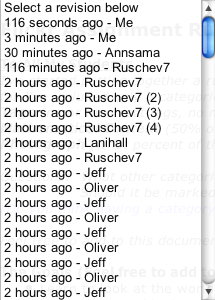
I just got a comment from Bud on my previous post asking if he could see the rubric my students are working on. I said yes and invited anyone else who wants to see what's going on to email me and let me know if you want to watch. I can invite you as an observer or collaborator. I'm pretty free with letting folks observe as the students craft their assessment rubric. (It's such a fascinating process to watch!) Collaborators are welcome as well in the context of mentors. (I'm using the same criteria here as I do for mentors to my class blogs.)


Right after replying to Bud's comment I decided to drop in and see if the doc has seen any action ... boy! Has it ever! TIME really hit the nail on the head ... if only they'd do a focus issue on the new context of education, I think my students should be on the cover ... but then, I'm biased. ;-)


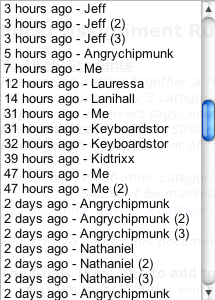
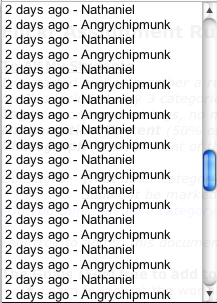
Look at the revision log ...


Flickring Assessment


I'm not entirely happy with the results of my students flickr assignments. Some of them are simply breathtaking, others, well ... not so much.


Over the last week or so we've been talking about the need to have a rubric to guide the students in their work and to fairly recognize when someone does really great work and when they don't. I was thinking that I'd put together an outline of a rubric and then we could discuss it in my classes; try to come to some sort of consensus that provides a "picture" of success and rewards effort appropriately.


As I was marking some the assignments tonight I created a new google doc and started taking notes on what I would like to include in the rubric. Then I saw the [Collaborate] button ... hmmm ... (Google Docs allows you to invite people to your documents/spreadsheets and make changes together in real time, online, through your web browser.)


I decided that sharing the doc with every one of my students would be a better way to do it. I started it, now I'm going to let my students take the lead. I've included Lani in the group because I feel she's an important part of our class community (she's been mentoring all my classes since September). I told her she should feel free to sit back and watch or chime in with her own 2 cents. Whatever she's most comfortable with.


There are approximately 50 people working on this document as of 20 minutes ago.


This is going to be fun to watch. ;-)

Flat Classrooms in Dhaka and Camilla

I'm a little late blogging about this: Vicki Davis and Julie Lindsay started an exciting and ambitious collaboration between Vicki's grade 10 class in Camilla, Georgia and Julie's grade 11 class in Dhaka, Bangladesh -- the Flat Classroom Wiki Project. The students from each class are paired, one to one, with each other and together are researching and exploring one of six topics selected by their teachers from Thomas Freedman's book The World is Flat.


The students have until Tuesday December 12 to complete their work and archive it on the project wiki. Julie and Vicki have asked four educators from around the world to act as judges to decide on which groups' work is the best in each of several categories. They asked me to be the Canadian judge. I was happy to accept. This is such a ground breaking, innovative project!


Vicki and Julie are being careful to have the kids document their collaboration in the discussion tab associated with each wiki page they create. They've made doing so part of the assessment rubric. They are also asking us, the judges, to do the same with an eye towards creating a reference that others can use to replicate the nature of their work.


I've recently been exploring the use of web 2.0 tools in the context of assessment as learning. I'm also exploring the new pedagogies made possible by web 2.0. Vicki and Julie are too and they are doing so concretely in their classrooms every day. They are also documenting and sharing their work with all of us on the project wiki. Projects like this really underscore the changing pedagogy required of all of us in the 21st century. Teachers and students collaborating across continents, learning and exploring current issues in a meaningful and concrete way, sharing the entire process transparently with the world, encouraging others to build upon their experiences and modeling best practices with the new tools available to all of us for free on the web.


I was talking with a friend of mine who teaches at the University of Manitoba. I was sharing with him Julie and Vicki's model of learning and collaboration. He thought it would be a great idea for his fourth year undergraduate students. I told him Julie and Vicki teach high school. ;-)


Julie and Vicki have been getting some recognition for their work. It seems that Thomas Friedman reads Julie's blog. He left her a message. One of Julie's students was interviewed by the BBC and they have also been nominated for an Edublog Award in the Best Wiki category. They are in some very auspicious company. Read about the other nominees and vote for your favourite wiki of 2006 here.

Flickring Mind Maps ... making learning sticky

Four ideas came together:


  • (1) A month ago, over at The Fischbowl, I read a post called A Math Teacher's Experience about using cell phones to motivate a lesson in mathematics.

  • (2) Alan Levine's flickr section of his K12 Online keynote presentation.

  • (3) I've been rereading Coming of Age and read Terry Freedman's using flickr as clip art article.

  • (4) One of the posts that I have been trying to write and struggling with the words is about the idea that new tools should foster new pedagogies: What can I do now with web 2.0 tools that I couldn't do before?


All my classes are making custom clip art collections ... actually, it's grown into a sort of flickr mind map and review of material that has already been taught. Here's what we're up to ...


Two weeks ago I introduced all my classes to flickr and asked them to sign up for (free) accounts.


Assignment 1 (acclimatisation), Time Frame - one week: Take a picture of your favourite number using your cell phone or digital camera. Upload it to flickr and tag it with a unique tag for each class. Also tag it with the assignment tag: interesting. You cannot copy pictures off the internet but you can "set up the shot" in any way you like. Include a description of why the number you chose is interesting to you. Be creative and have fun with this.


The purpose of this assignment was just to get them used to the mechanics of using flickr. During the week they were working on their first photo assignments I posted this to each of the class blogs (illustrating what success looks like):


This picture shows that 7 x 7 = 49 ... click on it to find out how. ;-)


Don't forget about your flickr assignment.


Cheers!

Mr. K.


This was to expose them to the idea of creating "hot spots" on their pictures. As pictures began to come up in public searches on flickr for each of the unique course tags, I created a flickr badge (you'll have to "sign in" to follow that link) for each class. I put it in each blog's sidebar under the heading "Our Math Photo Gallery." The engine behind the badges is the RSS feed associated with each unique course tag. Flickr generates these RSS feeds automatically.


Assignment 2 (concise digital review and content creation), Time Frame - one week: We're about halfway through the semester. Each class was given a topic or unit we had studied together; Pre-Cal 30S: quadratic functions; Pre-Cal 40S: trigonometry; AP Calculus AB: derivatives. They have to take a picture of something in the real world that is connected to these ideas. The picture can be "set up", but it has to be a real photograph taken by the students themselves. Screen shots and pictures of something written down don't count ... it has to be a "real world" picture. Once they have taken and uploaded the picture they have to fill in as many hot spots on the picture as they can illustrating concepts related to the topic they were given.


The Goals: They will have at least two more assignments like this last one ...


  • »They are learning to look at the world through mathematical eyes and see the math in everything, everywhere. Those with cell phone cameras are walking around thinking about and looking for math everywhere they go.

  • »In the course of looking for the pictures and creating the annotated hot spots they will be thinking about the material covered in a new way and strengthening the mental links to the concepts they have learned. I hope to make their learning sticky.

  • »They are creating digital mind maps of the material we learned way back at the beginning of the semester. Each student contributes one to the pool. At exam time they can review all the annotated pictures in the pool made by themselves and their classmates. They will be teaching and learning from each other.

  • »They are creating a course specific set of real world "clip art." They can use the pictures in projects, assignments and blog posts. I will also be able to use them the next time I teach the course to benefit the next group of students. They will be teaching people they have never met. They are also building a permanent resource collection.

  • »They are having fun with this. So am I watching it unfold. They are talking to other students and teachers in the building about this. A buzz is growing. Can you imagine the conversations they are having at home? They are involving their families and friends in their learning.


Some Snags


There were two snags.


First, most kids just uploaded a single picture to flickr. It didn't show up in the tag search. When a new account is created on flickr a real live human being examines the pictures in the account to ensure that they are real photos and not clip art, screen captures, etc. If they are real pictures, the public photos in the account are added to the pool of pictures in flickr searches and RSS feeds. However, there must be a minimum of 5 public pictures in the account in order to start this review process.


Second, they found my flickr account and saw pictures of me. I had told them to never upload pictures of themselves to the internet. When they saw that I have pictures of myself online a couple of them figured it would be alright to upload pictures of themselves as well. (That really drove home a lesson to me about modeling.) In some cases, the inclusion of pictures of themselves was an honest oversight. We discussed the fact that teachers and students are different. I also explained how I came to have pictures of myself online: the photos are used in publications or conference announcements that I am a part of; they are part of my professional life. In our student-teacher relationship I am very careful to protect their identities. As we have discussed in class many times, their anonymity as students is important. We do not do anything that connects their images to their names. This was an important lesson for them (and me). Because of the school division's proxy server filter we cannot do this sort of assignment at school. In a computer lab I can monitor my students closely. We could have addressed this issue when it came up immediately. If the school division didn't have a filter this project could have started more safely. All students that had uploaded pictures of themselves have removed them. We are only taking pictures of things, not people. If a picture is of a person, their face is obscured. Most students are using aliases as their flickr user names, others are using first names only.


Assessment


A very close, granular assessment of this sort of assignment would undermine the pedagogical goals. I expect a lot of deep learning to come out of this. This assignment is being marked for completion only; if it's done they get 100%, if not they get 0%. In thinking about using new tools effectively I also do not want to make mine or my students workload heavier. I characterize this as assessment for learning. This includes the time and effort required for assessment. The badge on each class blog picks up the pictures as they are uploaded. Also, a quick search in flickr, by course tags (pc30sf06, pc40sf06, apcalc06), brings up all the related students work instantly. Marking is a breeze.


The Results


The "real" assignments (the mind maps) are due on Monday, December 4. The Pre-Cal 30S class assignments are due on Wednesday, December 6 (they have a large project due on Monday). I'm looking forward to seeing what they come up with.


Check out the flickr badges in the side bar of each class blog:

Pre-Cal 30S (Fall '06)

Pre-Cal 40S (Fall '06)

AP Calculus AB (2006-07)


I couldn't do any of this before RSS, tagging, linking and of course, flickr. ;-)